Beginner-Proof Online Store Setup: Fix Mistakes Before Launch

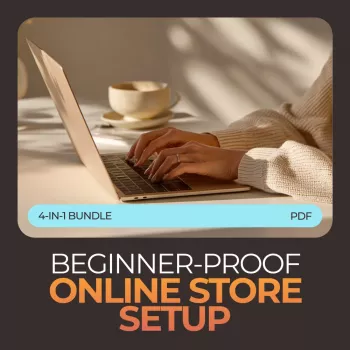
Beginner-Proof Online Store Setup Bundle: Avoid the Mistakes That Stall New Shops
New online stores often stall (or fail) for preventable reasons: unclear positioning, weak product pages, inconsistent pricing, missing trust signals, and a launch plan that skips the basics. The goal of a “beginner-proof” setup isn’t perfection—it’s a store that looks credible, converts visitors, and runs smoothly from day one. Use the guidance below as a practical checklist to reduce confusion, prevent revenue leaks, and build a foundation that can scale.
What “beginner-proof” setup actually means
A beginner-proof store is built to be obvious, friction-free, and trackable—even if you’re still learning ecommerce tools.
- Understandable in 5 seconds: shoppers instantly know what you sell, who it’s for, and why it’s different.
- A complete purchase path: product discovery → product page → cart → checkout → confirmation → post-purchase email.
- A trust-ready foundation: clear policies, secure payments, real contact options, and consistent branding.
- A measurable launch: analytics installed, key events tracked, and simple weekly routines to spot issues early. (Google’s official setup guidance is a good starting point: Google Analytics Help.)
The mistakes that hold new online stores back
Most early issues aren’t “marketing problems”—they’re setup problems that make shoppers hesitant or confused.
- Too many products or an unfocused niche: the store feels generic, and shoppers don’t know what to choose.
- Copied supplier descriptions and images: low trust, low differentiation, and weak perceived value.
- Pricing without a strategy: no margin targets, no shipping math, and no plan for promotions or returns.
- Unclear shipping times and missing policy pages: checkout abandonment rises fast.
- Overdesigned homepages: pretty pages that don’t guide shoppers toward bestsellers or key categories.
- No email capture plan: missing welcome offer, abandoned checkout flows, and post-purchase sequences.
- Launching without measurement: no tracking for add-to-cart, checkout, purchase, and key page views—so fixes become guesswork.
| Mistake | What it looks like | Fix to apply |
|---|---|---|
| Unclear store message | Visitors bounce fast, low time on site | Add a clear headline, one-sentence value proposition, and a bestsellers section above the fold |
| Weak product pages | High traffic but low add-to-cart | Rewrite titles/benefits, add FAQs, shipping/returns clarity, and better images |
| Pricing without math | Sales happen but profits don’t | Set target gross margin, include shipping/fees, define promo rules |
| Missing trust signals | Abandoned carts, customer questions | Add policies, contact page, secure payment icons, reviews/testimonials (where applicable) |
| No email flows | One-time purchases only | Set up welcome, abandoned checkout, post-purchase, and win-back emails |
| No tracking | No idea what to fix | Install analytics + conversion events; review weekly and adjust |
Store setup checklist (foundation first, then conversion)
Start with the basics that keep the store consistent, navigable, and safe to buy from—then optimize for conversion.
Foundation
- Brand basics: store name, logo, colors, typography, and a consistent tone across pages.
- Navigation: clear categories, a visible cart, and search (especially if your catalog is medium+).
- Policies and support: shipping policy, returns/refunds, privacy policy, terms, and a contact page.
- Payments: standard card payments plus at least one express option when possible.
- Operational basics: order confirmation emails, support inbox, and a simple fulfillment routine.
Conversion essentials
- Home page essentials: value proposition, top categories, bestsellers, and a trust section (shipping/returns/contact).
- Product page essentials: benefit-led copy, key specs, delivery estimates, returns policy, and a clear call-to-action.
- Cart and checkout: minimize distractions, show total cost early, and reduce surprise fees.
Conversion essentials that new stores skip
These are the small details that turn “looks nice” into “feels safe to buy from.”
- Trust stacking on key pages: transparent shipping times, clear returns, and real support details.
- Product selection discipline: spotlight a few hero products instead of presenting a huge catalog.
- Offer clarity: choose one primary offer (free shipping threshold, bundle savings, or first-order incentive) and make it consistent across the site.
- Social proof plan: collect reviews ethically, use photo reviews when possible, and place proof near buy buttons.
- Mobile-first checks: fast-loading images, tappable buttons, and checkout fields that aren’t painful.
Also make sure any promotions, testimonials, or claims are presented responsibly. For general guidance on online advertising rules, reference the FTC’s overview: FTC: Advertising and Marketing on the Internet.
Launch plan: a simple 7-day sequence that prevents chaos
Using the Beginner-Proof Online Store Setup Bundle effectively
- Beginner-Proof Online Store Setup Bundle: Mistakes That Hold New Online Stores Back, Checklist & Guide
- Content That Sells Strategy Toolkit | How to Create a Content Marketing Strategy 3-in-1 Bundle
- Grow Your Business Step-by-Step: 10-in-1 Bundle for Online Success
Helpful add-ons for growth after the basics are done
FAQ
What should be finished before an online store launches?
Have the core pages (home, categories, product pages, cart/checkout), essential policies (shipping, returns, privacy, terms), contact/support options, and payment methods in place. Then run a full test order end-to-end—including confirmation emails—so you can confirm everything works before real customers find issues.
Why do new online stores get traffic but no sales?
It’s usually a clarity or trust problem: unclear value proposition, weak product pages, pricing or shipping surprises, missing policies, or a poor mobile checkout experience. Diagnose the highest-friction step first (often product page or checkout), apply targeted fixes, and measure changes so improvements compound.
How many products should a new store start with?
Start with a focused set—often around 5–20 products—built around a clear niche and a few hero items you can present confidently. Expand based on what converts, what customers ask for, and what you can support operationally without creating shipping or quality issues.















Leave a comment